Minecraft has one of the most recognizable visual styles in gaming history. Its blocky world and simple textures are part of the charm that made the game so popular. But after years of playing vanilla Minecraft, many players start looking for ways to improve the graphics and make the world feel more immersive.
That is where shaders come in.
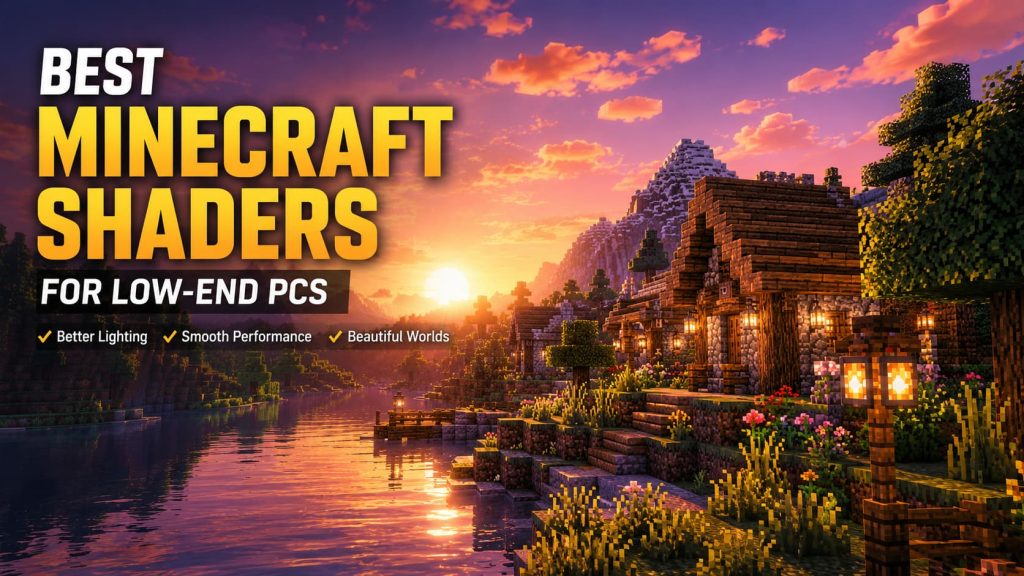
Shaders can completely transform Minecraft’s appearance by adding realistic lighting, shadows, reflections, atmospheric fog, waving grass, better water effects, and much more. The difference can be dramatic. A basic Minecraft sunset can suddenly look cinematic, caves become darker and more atmospheric, and forests feel alive with moving leaves and dynamic lighting.
The problem is that many shader packs are extremely demanding. Players with low-end or older PCs often experience lag, stuttering, overheating, or unplayable frame rates after installing popular shaders.
Fortunately, not every shader pack requires a high-end gaming computer. Some are specifically optimized for weaker systems while still improving the game’s visuals significantly.
In this guide, we will explain what Minecraft shaders are, how they work, and which shader packs are best for low-end PCs in 2026.
What Are Minecraft Shaders?
Minecraft shaders are graphical modifications that change how the game renders lighting, shadows, water, weather, and environmental effects.
In simple terms, shaders improve the visual presentation of Minecraft without changing the core gameplay.
Instead of the flat lighting found in vanilla Minecraft, shaders can introduce:
- Dynamic shadows
- Realistic sunlight
- Reflections
- Bloom effects
- Better skies
- Animated water
- Volumetric lighting
- Motion effects
- Improved weather visuals
Some shader packs aim for realism, while others focus on performance or artistic style. Shaders work through shader loaders such as OptiFine or Iris, which allow Minecraft to process advanced graphical effects. Because these effects require additional GPU and CPU power, performance can vary heavily depending on the shader pack and the player’s hardware.
Why Low-End PCs Struggle With Shaders
Minecraft itself is not always lightweight, especially after years of updates and mods. Adding shaders increases the hardware requirements significantly.
Low-end PCs often struggle because shaders:
- Increase lighting calculations
- Render shadows in real time
- Add more visual effects
- Use additional VRAM
- Stress integrated graphics
Older laptops and budget systems may experience:
- FPS drops
- Input lag
- Stuttering
- Long loading times
- Overheating
This is why choosing the right shader pack matters so much. A well-optimized lightweight shader can still make Minecraft look beautiful while keeping the game smooth and playable.
Sildur’s Enhanced Default

Sildur’s Enhanced Default is one of the best choices for players who want a vanilla-friendly look with minimal performance impact. Unlike ultra-realistic shader packs, this shader focuses on enhancing Minecraft’s original art style instead of completely changing it.
Features include:
- Improved lighting
- Better shadows
- Enhanced water
- Softer colors
- Light bloom effects
- Subtle atmospheric improvements
The biggest advantage is performance. Even weaker PCs can usually run it comfortably compared to heavier cinematic shaders.
This shader is ideal for:
- Older laptops
- Integrated graphics
- Casual survival gameplay
- Players who want a “better vanilla” experience
If you are installing shaders for the first time, this is one of the safest starting points.
MakeUp Ultra Fast Shaders

MakeUp Ultra Fast Shaders became extremely popular because of its flexibility and optimization options. The shader pack allows players to customize visual effects aggressively, making it one of the most adaptable shader packs available.
It supports:
- Adjustable shadows
- Dynamic lighting
- Water improvements
- Reflections
- Atmospheric fog
- Color enhancement
The biggest advantage is scalability. Players can disable heavy effects individually and fine-tune the balance between graphics and FPS. This makes it excellent for weaker systems. Many low-end PC users report surprisingly stable frame rates even with decent visual improvements enabled.
This shader is especially good for:
- Budget gaming PCs
- Older desktop systems
- Mid-range laptops
- Players experimenting with settings
Complementary Reimagined

Complementary Reimagined is often considered one of the best-looking balanced shader packs available today. While it can become demanding at high settings, it is surprisingly optimized when configured properly.
What makes it special:
- Beautiful sunsets
- Excellent lighting
- Natural colors
- High-quality water
- Smooth shadows
- Strong atmosphere
Unlike hyper-realistic shaders that try to turn Minecraft into another game entirely, Complementary keeps the game recognizable while dramatically improving visual quality. For low-end users, reducing shadow resolution and disabling certain advanced lighting effects can provide a good balance between visuals and performance.
This shader works particularly well for:
- Exploration
- Survival worlds
- Screenshots
- Adventure maps
Chocapic13 Low Performance Versions
Chocapic13 shaders have existed for years and remain some of the most respected shader packs in the Minecraft community. One major reason is the variety of performance presets.
The pack includes:
- Ultra versions
- High versions
- Medium versions
- Lite versions
- Toaster presets
The lower-end presets are specifically designed for weak systems while still offering:
- Dynamic lighting
- Improved skies
- Better shadows
- Water animation
- Weather effects
The “Toaster Edition” became famous among low-end players because it allows extremely weak systems to use shaders without completely destroying performance. This makes Chocapic13 one of the most accessible shader families for almost any hardware level.
Builder’s QOL Shaders
Not every player wants cinematic realism. Some simply want cleaner visuals and better lighting while building or exploring. Builder’s QOL Shaders focus on simplicity and readability.
Instead of heavy effects, the shader emphasizes:
- Clear shadows
- Better brightness
- Improved atmosphere
- Smooth lighting
- Minimal distractions
The result is a cleaner Minecraft experience with relatively low performance impact. This shader is especially popular among:
- Builders
- Creative mode players
- Redstone users
- Low-end PC users seeking stability
Potato Shaders
Potato Shaders were created specifically for extremely weak hardware. The name itself tells players exactly what the target audience is: “potato PCs.”
These shaders focus on:
- Lightweight lighting
- Minimal shadows
- Basic atmospheric effects
- Improved skies
- Better visual depth
They intentionally avoid advanced graphical effects that destroy performance.
Players using:
- Older office laptops
- Integrated Intel graphics
- Very old GPUs
often find Potato Shaders surprisingly playable.
The visual upgrade is not massive compared to cinematic packs, but the FPS stability makes them highly practical.
Tips to Improve FPS With Shaders
Even lightweight shaders can struggle if Minecraft settings are not optimized properly.
Here are some important ways to improve performance.
Lower Render Distance
Render distance is one of the biggest FPS killers in Minecraft.
For low-end systems:
- 6–10 chunks is usually ideal
Reducing render distance can dramatically improve performance.
Disable Fancy Graphics
Turning off:
- Fancy leaves
- Fancy clouds
- Fancy particles
can free up valuable resources.
Use Performance Mods
Many players combine shaders with optimization mods such as:
- Sodium
- Lithium
- FerriteCore
These mods can significantly increase frame rates.
Reduce Shadow Resolution
Shadow quality is often the most demanding shader feature. Lower shadow resolution settings can massively improve FPS without ruining visuals completely.
Use Lower Shader Presets
Many shader packs include Lite or Low presets specifically for weaker systems. Players often ignore these presets and immediately choose Ultra settings, which leads to unnecessary lag.
Allocate More RAM Carefully
Giving Minecraft too little RAM can cause stuttering.
However, allocating too much RAM can also create problems. For most low-end systems:
- 4–6 GB is usually enough
Should You Use Shaders on a Low-End PC?
The answer depends on your expectations. If you want ultra-realistic visuals with ray-tracing-style effects, a weak PC will struggle heavily.
But if your goal is:
- Better lighting
- Improved atmosphere
- Enhanced water
- More immersive gameplay
then lightweight shaders are absolutely worth trying.
Modern optimized shader packs are far better than older versions and offer surprisingly good performance on budget systems. Even small visual improvements can make Minecraft feel fresh again.
Minecraft shaders no longer belong only to players with expensive gaming PCs. Thanks to better optimization and lightweight shader packs, even low-end systems can enjoy dramatically improved visuals without sacrificing playability.
Shader packs like:
- Sildur’s Enhanced Default
- MakeUp Ultra Fast
- Complementary Reimagined
- Chocapic13
- Potato Shaders
prove that players do not need high-end hardware to make Minecraft look more immersive and atmospheric.
The key is finding the right balance between visual quality and performance. Instead of chasing ultra-realistic graphics that destroy FPS, low-end players should focus on optimized shader packs that enhance the game while keeping it smooth and enjoyable.
With the right settings and shader choice, even an older PC can transform Minecraft into a much more beautiful experience.

I’m Alex Mercer, a senior gaming and esports writer at GamingImba. I’ve been involved in gaming for as long as I can remember, and for more than a decade I’ve been writing about competitive play, industry trends, and the culture that grows around games.
My work focuses on esports, online gaming platforms, and how technology continues to shape the way people play, compete, and connect. I’m especially interested in meta shifts, balance changes, and the business decisions that influence modern games behind the scenes.
At GamingImba, I aim to break down complex topics in a way that’s clear, honest, and useful—whether that means analyzing a major tournament, exploring new gaming platforms, or looking at how player behavior evolves over time.
I follow global esports scenes closely, experiment with different games and mods in my free time, and enjoy digging into the details that most players notice but rarely stop to question.