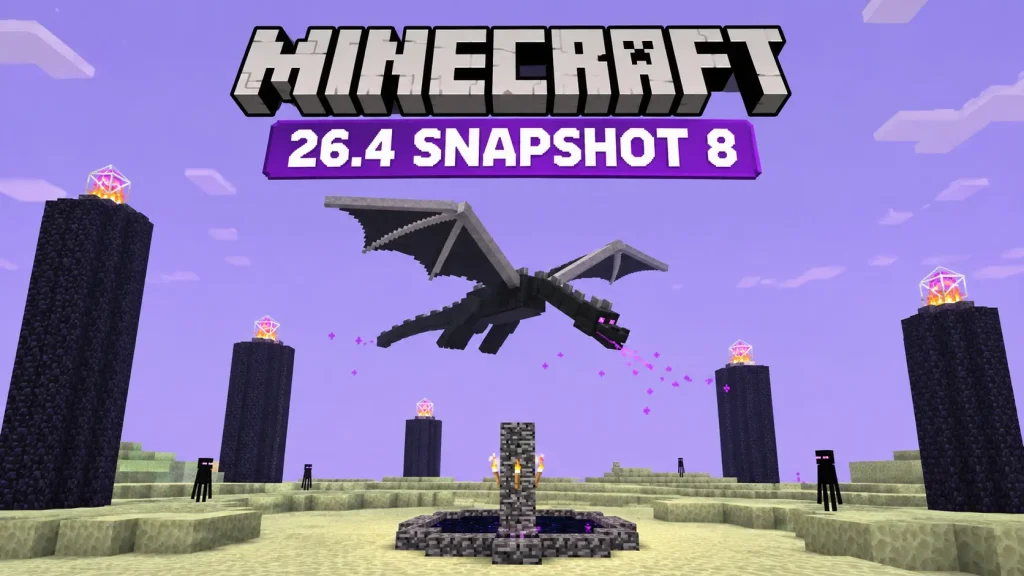
Minecraft’s Ender Dragon has apparently forgotten how to fly properly, and Mojang has decided it’s time for a refresher. Minecraft Java Edition 26.4 Snapshot 8, released on November 10, 2026, fixes several problems with the boss’s movement and makes a few changes to freezing mechanics, Ice Ball damage, and Cold Sulfur Cubes.
Last week’s Snapshot 7 introduced new Calcite blocks and the Flurry music disc. This time, Mojang is cleaning up bugs and adjusting features that are already in the game. There are also two new language options and some technical changes for players who create custom content.
Ender Dragon Gets Four Flight Fixes
If you’ve fought the Ender Dragon in a recent test build, you might have seen it behaving rather strangely. The boss could get stuck flying between two points, approach the exit portal incorrectly, or struggle with movements that should be fairly routine for a giant flying dragon.
Mojang has fixed four reported issues:
- MC-197201: The Ender Dragon wasn’t diving toward players correctly.
- MC-271336: The dragon had problems diving toward the exit portal.
- MC-271337: It could become stuck flying repeatedly between two locations.
- MC-272431: Incorrect vertical velocity calculations caused unusual flight movements.
None of these fixes changes the dragon’s attacks, health, or rewards. They’re simply meant to make the boss behave the way it should.
That might not sound particularly exciting, but an unpredictable flight path can make an already lengthy boss fight more frustrating than it needs to be.
Freezing Works Differently for Undead Mobs
All undead mobs are now immune to the Freezing effect, including Skeletons. Previously, the immunity wasn’t consistent across the entire undead category.
That matters when testing the newer cold-themed combat mechanics introduced during the Minecraft 26.4 snapshot cycle, particularly those involving Frostbites.
Ice Balls Now Deal Less Damage
Mojang has also reduced the damage dealt by Ice Balls. The official patch notes don’t specify an exact percentage, so there’s no confirmed damage figure to compare directly with the previous snapshot.
Ice Balls haven’t been removed, and their basic purpose remains the same. They simply hit a little less hard.
Between this adjustment and the undead immunity change, freezing-based attacks should behave differently depending on which enemies you’re facing.
Cold Sulfur Cubes Can No Longer Float
Cold Sulfur Cubes have received two changes in Snapshot 8.
First, Mojang removed the floating behavior from the Cold Sulfur Cube archetype. Its movement should now be more consistent with other Sulfur Cube types.
The second change fixes a bug that allowed cold Sulfur Cubes to create Frosted Ice on flowing water.
You probably won’t notice either change during a normal survival session, but they’re worth knowing about if you’ve been experimenting with the new mobs.
Minecraft Snapshot 7 vs Snapshot 8: What’s Different?
The two November snapshots have noticeably different priorities.
Snapshot 7, released on November 3, introduced some of the last planned gameplay features for Minecraft 26.4, including new Calcite building blocks and the Flurry music disc. Snapshot 8, released one week later, concentrates on fixing and balancing those existing features.
| Feature | Snapshot 7 | Snapshot 8 |
| Release date | November 3, 2026 | November 10, 2026 |
| Main focus | Gameplay additions | Bug fixes and balancing |
| Building blocks | New Calcite block sets | No new blocks |
| Music | Flurry music disc | Minor music-related fixes |
| Ender Dragon | No major changes | Four flight fixes |
| Freezing | Fire and leather armor adjustments | Undead immunity |
| Ice Balls | No highlighted damage reduction | Reduced damage |
| Data Pack version | 126.0 | 127.0 |
| Resource Pack version | 102.0 | 103.0 |
Mojang described Snapshot 7 as containing the final planned gameplay additions for this game drop. That doesn’t mean development is finished, but it explains why Snapshot 8 is more concerned with getting existing features working properly.
There’s still no confirmed stable release date for Minecraft 26.4 in these patch notes.
Two More Languages Added to Minecraft
Minecraft Java Edition now supports two additional languages:
- Javanese: Spoken primarily on the Indonesian island of Java.
- Chavacano (Zamboanga): A Spanish-based creole language spoken in the Philippines.
Both are available through the game’s language settings.
It’s a small addition to the changelog, but an important one for players who would rather navigate Minecraft in a language they’re familiar with.
Other Minecraft Bugs Worth Knowing About
The Ender Dragon gets most of the attention, but Mojang also fixed a few bugs that players might have encountered during normal gameplay.
- Wind Charges: Rideable entities should no longer unexpectedly stop moving after being launched by Wind Charges.
- Tree leaves: Growing a tree next to logs belonging to another tree should no longer cause its leaves to decay incorrectly.
- Frostbite sounds: Fixed the pitch of the sound played when Frostbites throw Ice Balls, along with an inconsistent closed caption.
- Underwater visuals: Corrected water fog rendering when swimming along the surface.
- Third-person camera: Fixed a bug that could display the suffocation overlay when positioning the camera against certain blocks.
- Minecarts: Restored fall damage for minecarts when the Minecart Improvements experiment is disabled.
- Nether generation: Fixed ravines that could expose the bedrock ceiling.
- Inventory and menus: Corrected misplaced tooltips, texture reloading problems, and a crash in the Statistics screen.
The tree leaf fix is an easy one to overlook. If you’ve ever grown trees close together and found leaves disappearing unexpectedly, this is exactly the sort of small bug that can make building and landscaping annoying.
Mojang also cleaned up several accessibility problems involving narration, high-contrast interface textures, and keyboard navigation.
Important Changes for Data Pack and Resource Pack Creators
Players who use custom packs should pay attention to the technical side of Snapshot 8.
The Data Pack version has increased from 126.0 to 127.0, while the Resource Pack version has moved from 102.0 to 103.0.
Mojang has also changed how certain validation errors are handled. Invalid recursive references and missing required context values can now prevent some content from loading or cause commands to fail during compilation.
There are changes to terrain vertex data and rendering as well, which could affect custom resource packs and shaders.
If you maintain a data pack or resource pack, test it in Snapshot 8 before assuming everything will work as it did in Snapshot 7. Checking the logs for validation errors is a good place to start if something stops loading.
How to Install Minecraft 26.4 Snapshot 8
You can try Snapshot 8 through the official Minecraft Launcher. It’s available for Java Edition, so you won’t find it as a regular Bedrock Edition update.
- Open the Minecraft Launcher and select Java Edition.
- Go to the Installations tab.
- Enable the option to display Snapshots.
- Create or select an installation using 26.4 Snapshot 8.
- Launch the game and create a test world.
Back up your existing worlds before opening them in a snapshot. Experimental builds can contain bugs and compatibility issues, and saving a world in a newer version may make it unsuitable for older versions.
Using a separate game directory is also a sensible choice if you frequently switch between snapshots and stable releases.
Should You Try Snapshot 8?
If you’ve been testing Minecraft 26.4, Snapshot 8 is worth installing, especially if the Ender Dragon’s strange flight behavior has been bothering you. The freezing changes are also worth a look if you’ve been experimenting with Frostbites and Ice Balls.
Otherwise, there’s little reason to abandon your stable survival world just yet.
Mojang hasn’t announced a final release date for Minecraft 26.4, so there may still be more fixes before the update is ready for everyone.
You can read the complete list of changes in the official Minecraft 26.4 Snapshot 8 patch notes.

I’m Alex Mercer, a senior gaming and esports writer at GamingImba. I’ve been involved in gaming for as long as I can remember, and for more than a decade I’ve been writing about competitive play, industry trends, and the culture that grows around games.
My work focuses on esports, online gaming platforms, and how technology continues to shape the way people play, compete, and connect. I’m especially interested in meta shifts, balance changes, and the business decisions that influence modern games behind the scenes.
At GamingImba, I aim to break down complex topics in a way that’s clear, honest, and useful—whether that means analyzing a major tournament, exploring new gaming platforms, or looking at how player behavior evolves over time.
I follow global esports scenes closely, experiment with different games and mods in my free time, and enjoy digging into the details that most players notice but rarely stop to question.