
Building a beautiful house, running a hospital, or turning a handful of machines into an enormous factory doesn’t necessarily require an expensive gaming PC. Some simulation games are surprisingly forgiving when it comes to hardware, even when they give you a ridiculous amount of freedom over what you create.
The Lenovo IdeaPad 5 is a good example of a laptop that can handle more than you might expect. Our reference configuration has an Intel Core i5-1135G7 processor, Intel Iris Xe Graphics, 16 GB of RAM, and an NVMe SSD. It isn’t designed for demanding modern games, but there are plenty of building and management titles that make sense for this hardware.
I wouldn’t put Cities: Skylines II or Planet Coaster 2 at the top of the shopping list for a laptop like this. Both demand considerably more graphics power than the older games we’ll look at here. Instead, I’ve picked ten titles where the official requirements give us a reasonable basis for expecting a playable experience, although some will need lower settings or smaller projects.
There’s quite a bit of variety, too. You can design houses, build medieval towns, manage a space colony, run an amusement park, or spend an entire evening making conveyor belts work properly. Not all of these games are relaxing, and a few are surprisingly complicated, but that’s part of what makes the genre interesting.
What Can Intel Iris Xe Handle in Building and Simulation Games?
The Core i5-1135G7 has four processor cores and eight threads, while its integrated Iris Xe Graphics handles the visuals. Unlike a dedicated gaming graphics card, Iris Xe shares the laptop’s system memory. That’s worth remembering when a game begins using several gigabytes of RAM.
Fortunately, the 16 GB version of the IdeaPad 5 15ITL05 has dual-channel memory, which helps the integrated graphics perform better. The laptop also has enough processing power for many older building and management games, although that doesn’t mean every large simulation will run smoothly.
There’s an important difference between a game that draws a complicated scene and one that has to keep track of thousands of moving parts. In The Sims 4, detailed furniture, lighting, and large decorated houses can affect graphics performance. In Factorio or RimWorld, the computer also has to calculate what workers, machines, or characters are doing. A game can start out smoothly and become much slower as your creation grows.
For that reason, I’m focusing on realistic starting settings rather than promising a particular number of frames per second. The recommendations are based on published system requirements and the capabilities of this laptop, not benchmarks recorded on the exact machine.
1. The Sims 4

The Sims 4 is probably the first game I’d suggest to someone who enjoys designing houses and decorating interiors. Its building tools let you create everything from a tiny starter home to an enormous mansion with several floors, landscaped gardens, and carefully planned rooms. You can spend hours arranging furniture and adjusting the smallest details without even getting involved in the lives of the Sims themselves.
Of course, there is an entire life simulation behind the building system. You create characters, choose their personalities, develop careers, make friends, and watch relationships change. Sometimes things go according to plan. Other times, a perfectly ordinary family gathering turns into complete chaos.
One reason The Sims 4 works so well for creative players is that there’s no single correct way to play. You can concentrate on architecture, raise a family, create elaborate stories, or challenge yourself to build a home with very little money. The base game is free to play, although many additional activities, furniture collections, and gameplay features come through paid expansions.
Can Intel Iris Xe run The Sims 4?
EA’s current minimum requirements include 4 GB RAM, a dual-core Intel Core i3-3220 or comparable processor, and DirectX 11-compatible graphics. The recommended specifications increase to 8 GB RAM, a four-core Intel Core i5 or better, and a dedicated graphics card such as the GeForce GTX 650.
The IdeaPad’s processor and memory are well positioned for this game, but Iris Xe should not automatically be considered equivalent to every dedicated card in the recommended specifications. I’d begin at 1920×1080 with medium graphics settings, switching on Laptop Mode if the game becomes sluggish.
Large houses packed with decorations, numerous expansion packs, and demanding custom content can make a difference. For ordinary households and reasonably sized builds, though, The Sims 4 is one of the more convincing choices for this laptop.
2. Minecraft for Windows (Bedrock Edition)
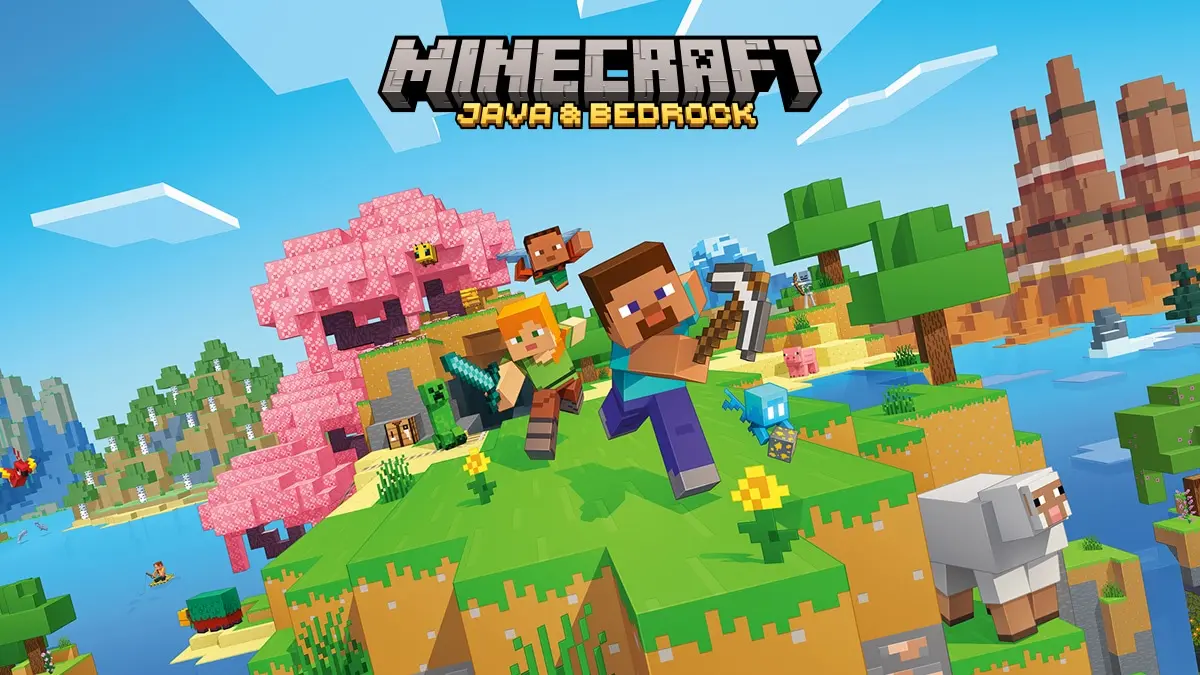
Minecraft hardly needs an introduction, but it’s worth being specific about which version belongs on this list. I’m recommending Minecraft for Windows, commonly called Bedrock Edition, rather than treating every version of Minecraft as though it has identical requirements.
The building possibilities are enormous. You can create a small cottage beside a lake, recreate famous landmarks, build a working railway system, or spend months constructing an entire city. Creative Mode is particularly appealing if you want to concentrate on architecture without worrying about gathering resources or surviving the night.
Survival Mode adds another layer to the experience. You’ll need to collect materials, craft equipment, explore caves, and defend yourself against hostile creatures. There’s also the satisfaction of returning to a house you’ve spent hours building after a difficult expedition.
I think Minecraft works best when you give yourself a project. Rather than wandering around without a plan, try building a medieval village, a castle with underground passages, or a modern house with a detailed garden. You might be surprised how much time disappears once you start working on the little details.
Can Intel Iris Xe run Minecraft Bedrock?
Microsoft’s official Bedrock requirements list 4 GB RAM as the minimum and 8 GB as recommended. The minimum graphics specification includes Intel HD Graphics 4000, while the recommended examples include the GeForce 940M.
That makes standard Bedrock Edition a reasonable choice for the IdeaPad 5. I’d start at 1080p with a moderate render distance of around 8 to 12 chunks, then increase it if the world remains responsive.
The important limitation is advanced graphics. Hardware ray tracing requires a compatible dedicated graphics card, so it isn’t something to expect from this Iris Xe laptop. More demanding visual modes, large worlds, and complex custom content may also need adjustments.
For straightforward building in Creative Mode, Minecraft Bedrock is one of the first games I’d install.
3. Stardew Valley

Stardew Valley begins with a fairly ordinary situation. You’ve inherited an old farm from your grandfather, the buildings need attention, and the fields are covered in weeds and rocks. It’s up to you to turn the neglected property into something worth keeping.
At first, you might spend most of your time planting vegetables, watering crops, and saving enough money for better tools. Gradually, things become more interesting. You can raise animals, build additional farm structures, create production areas, decorate your home, and develop relationships with the people living in nearby Pelican Town.
There’s more to explore beyond the farm. Fishing, mining, festivals, quests, and hidden areas give you something to do when you need a break from growing crops. The changing seasons also encourage you to rethink how the farm is organized throughout the year.
What I like about Stardew Valley is that you can approach it at your own pace. Some people enjoy maximizing profits and planning every square of farmland. Others would rather keep a few chickens, grow flowers, and spend their afternoons fishing.
The official minimum requirements are extremely modest: a 2 GHz processor, 2 GB RAM, DirectX 10-compatible graphics with 256 MB video memory, and 500 MB of storage. Compared with those requirements, the IdeaPad 5 has plenty of hardware resources available.
I’d use 1920×1080 with the standard settings. The pixel-art presentation doesn’t call for powerful graphics hardware, making Stardew Valley one of the safest options on this list. Very large collections of mods can introduce additional memory usage or loading times, but the standard game should be comfortably within the laptop’s capabilities.
4. Terraria
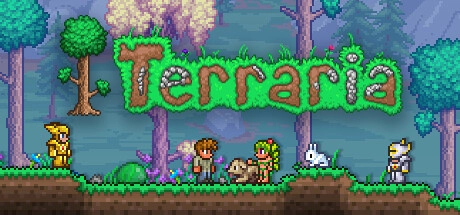
Terraria often gets described as a two-dimensional Minecraft, but that comparison only tells part of the story. Building is important, yet exploration and combat play a much larger role than some newcomers might expect.
You begin with a few basic tools in a randomly generated world. Before long, you’ll be digging underground, discovering unusual materials, crafting better equipment, and constructing shelters for characters who move into your settlement. As you progress, you’ll encounter increasingly dangerous enemies and bosses.
The building system offers more variety than the simple graphics initially suggest. You can create castles, underground laboratories, treehouses, elaborate villages, and buildings inspired by practically any architectural style. Wiring and mechanical components also make it possible to create traps, automated doors, and other functional structures.
I wouldn’t recommend Terraria purely as a peaceful house-building game, though. A substantial part of its progression involves fighting bosses and visiting dangerous locations. If that’s something you enjoy alongside construction, there’s an enormous amount of content to discover.
Hardware requirements
Terraria‘s official minimum specifications include a 2 GHz processor, 2.5 GB RAM, and a graphics processor supporting Shader Model 2.0 with 128 MB video memory. Its recommended specifications are still modest, listing 4 GB RAM and a dual-core 3 GHz processor.
The Lenovo exceeds those memory and processor requirements and has more than enough graphics capability for the game’s basic rendering needs. I’d use 1080p with standard settings, changing visual effects only if unusually busy scenes cause problems.
For someone who wants to combine creativity with adventure, Terraria is one of the strongest choices available for modest hardware.
5. RimWorld

RimWorld is where the list starts getting a little more complicated. It doesn’t look especially demanding at first glance, but there’s an impressive amount happening beneath its simple presentation.
You begin with three survivors who have crash-landed on a distant planet. They need shelter, food, medicine, and protection from the dangers around them. Your first settlement might consist of little more than a few wooden rooms and a vegetable patch. With time, it can develop into a large colony with workshops, hospitals, farms, defenses, and specialized living areas.
The characters are what make RimWorld different. Each colonist has skills, preferences, relationships, and personal problems. One might be an excellent doctor but hopeless at construction, while another can build almost anything but refuses to perform certain jobs.
Unexpected events regularly interfere with your plans. A fire can destroy your food supplies, a raid can leave half the colony injured, or a disagreement between two residents can turn into a serious problem. You spend a lot of time reacting to situations you never expected.
RimWorld has a habit of producing strange stories without relying on a traditional scripted campaign. That’s a large part of its appeal, although players who prefer complete control over everything might find the unpredictability frustrating.
Will RimWorld run well on this laptop?
The official minimum requirements include a Core 2 Duo processor, 4 GB RAM, and Intel HD Graphics 4000 or another graphics solution supporting Shader Model 4.0. On paper, the IdeaPad 5 is comfortably above those specifications.
The bigger concern is the size of your colony. As the number of colonists, animals, jobs, and objects increases, the processor has more work to do. Large mod collections can make the problem worse.
I’d start at 1080p with the default settings, a modest number of colonists, and no unnecessary mods. Small and medium colonies are a much more sensible target for this laptop than enormous settlements containing hundreds of characters.
RimWorld is a good recommendation, but it deserves that qualification. Meeting the minimum requirements doesn’t mean every late-game colony will remain fast.
6. Two Point Hospital

Running a hospital sounds like serious work, but Two Point Hospital rarely lets you forget that it’s a comedy game.
Your job is to build hospitals, arrange treatment rooms, hire employees, manage finances, and keep patients reasonably satisfied. The illnesses, however, are deliberately ridiculous. Patients might arrive with light bulbs instead of heads, or suffer from conditions that require equally bizarre treatments.
As your hospital grows, you’ll need to think about how people move around the building. A badly placed reception desk can create long queues, while poorly organized corridors make patients waste time walking between rooms. You also have to manage staff training, wages, maintenance, and the overall reputation of the hospital.
The building tools are easy enough to understand, but managing an efficient hospital becomes more difficult as you unlock new facilities. I particularly like games where improving the layout produces a visible result, and Two Point Hospital offers plenty of opportunities to experiment.
What do the official requirements say?
This is one of the more demanding games in the selection. The official minimum requirements include an Intel Core i3-6100, 4 GB RAM, and either a supported entry-level dedicated graphics card or Intel HD Graphics 630.
That integrated graphics option is encouraging for an Iris Xe laptop. However, the recommended specifications are substantially higher, including a Core i5-6600 or Ryzen 5 1600X, 8 GB RAM, and graphics such as the GeForce GTX 1060 or Radeon RX 580.
The IdeaPad should be a reasonable candidate for lower settings, but I wouldn’t assume that large hospitals will run smoothly at 1080p with everything turned up. I’d start at 1600×900 using low or medium graphics settings.
If your priority is designing interesting buildings and optimizing how they operate, Two Point Hospital is worth trying. Just keep your expectations realistic once your hospitals become crowded.
7. Factorio

Factorio begins with a simple problem. You’re stranded on an alien planet and need to produce the equipment required to survive and eventually launch a rocket.
At first, everything happens manually. You mine resources, collect materials, and build basic machines. Soon, though, you’ll discover that doing every job yourself takes too much time. That’s when conveyor belts, automated production lines, and increasingly complicated factories enter the picture.
A basic factory might produce a few useful items. A larger one can include mining operations, furnaces, assembly machines, trains, chemical processing, and interconnected production systems. The challenge is keeping everything supplied with the materials it needs.
There’s something deeply satisfying about watching a factory work after you’ve spent an hour rearranging its production lines. Of course, fixing one shortage often creates another problem somewhere else. You might decide to improve a small part of the factory and discover that the entire evening has disappeared.
Factorio isn’t particularly interested in teaching you how to build beautiful houses. Its appeal lies in making increasingly complicated systems work efficiently.
Can the IdeaPad 5 handle Factorio?
Factorio‘s official minimum requirements include 4 GB RAM, a dual-core processor running at 3 GHz or higher, and a DirectX 10.1-compatible graphics processor. Intel HD Graphics 530 is specifically listed among the minimum graphics examples. The developers recommend 8 GB RAM, a quad-core processor, and a stronger graphics card for a better experience.
The IdeaPad’s four-core processor, 16 GB RAM, and Iris Xe graphics make it a sensible machine for the base game. Unlike many graphically intensive titles, Factorio often becomes limited by how much simulation work the processor has to perform as factories grow.
I’d begin at 1080p with normal graphics settings. For an ordinary factory, that seems reasonable, but enormous production networks and extensive mods can slow the simulation considerably.
One detail worth mentioning is that these recommendations concern the base game. The Space Age expansion adds considerably more systems and complexity, so its largest factories shouldn’t be assumed to behave exactly like a simple early-game setup.
Factorio is a particularly interesting choice for people who enjoy engineering, planning, and solving problems.
8. Prison Architect

Prison Architect gives you control over the design and operation of a correctional facility. You decide where the cells go, how large the communal areas should be, where guards need to patrol, and how different parts of the prison connect.
The first stages are relatively simple. You need cells, basic facilities, and enough staff to keep things running. As the prison expands, you’ll have to deal with security, finances, prisoner needs, emergencies, and the constant possibility of something going wrong.
Good design matters. A poorly organized prison can create overcrowding, long walking routes, and situations where security becomes difficult to maintain. You can also introduce educational and rehabilitation programs rather than concentrating exclusively on punishment and containment.
There’s a more serious side to the game than you might expect from its cartoon-like graphics. It deals with violence, confinement, and the consequences of how a prison is managed, so it isn’t quite the same kind of cheerful simulation as Two Point Hospital.
How demanding is Prison Architect?
The original Prison Architect was released in 2015. Its currently published minimum PC requirements specify Windows 10 64-bit, an Intel Core 2 Duo 2.4 GHz or comparable processor, 6 GB RAM, and an older graphics card such as the GeForce 8600.
The 6 GB requirement is worth noting because some older descriptions of the game still mention lower memory figures. The Lenovo has more than enough installed RAM and a much newer processor than the minimum reference hardware.
I’d begin at 1080p with standard settings. The simple graphics are unlikely to be the main limitation for an ordinary prison, but large populations and complicated building layouts can increase the amount of work the processor has to handle.
Prison Architect is a reasonable option for this laptop, provided you understand that managing a huge facility may be considerably slower than managing a small one.
This recommendation refers to the original Prison Architect, not Prison Architect 2.
9. Banished

Banished is a city-building game that doesn’t give you the comfort of a modern city with established services, reliable trade routes, or an unlimited supply of workers.
You begin with a small group of exiled people who need to establish a new settlement. They have to build houses, gather food, collect firewood, and prepare for winter. Every resident matters, and poor planning can have consequences that take years to recover from.
A small village may appear to be doing well until its population grows too quickly. Suddenly, there might not be enough food to feed everyone, enough workers to maintain production, or enough fuel to keep homes warm during the colder months.
The challenge is finding a balance between expansion and survival. Building more houses encourages population growth, but new residents also need food, clothing, and other supplies. Increasing production requires workers, yet moving people between jobs can create shortages elsewhere.
I find the idea behind Banished particularly interesting because it makes ordinary things feel important. A well-managed firewood supply can matter more than constructing an impressive new building.
Is Banished suitable for Intel Iris Xe?
Banished was released in 2014, and its official minimum requirements are extremely low by today’s standards. They include a 2 GHz dual-core Intel processor, 512 MB RAM, and a DirectX 9-compatible graphics card with 512 MB video memory. The recommended specifications list a Core i5 processor and a DirectX 10-compatible graphics card.
The Lenovo is comfortably above those hardware requirements. Starting at 1920×1080 with medium settings should be reasonable, and higher settings may be worth trying in smaller settlements.
The main concern is that Banished was originally developed for older Windows versions. The published specifications list Windows XP, Vista, 7, and 8, rather than Windows 11. That doesn’t establish incompatibility, but it means modern operating system support should not be assumed.
Large settlements and heavy modifications can also introduce slowdowns. I’d start with the original game before installing substantial mod collections.
Banished is a good choice if you want a slower, more demanding city builder where surviving the next winter can be more important than making the town look attractive.
10. RollerCoaster Tycoon 3: Complete Edition

RollerCoaster Tycoon 3 gives you the keys to an amusement park and lets you decide almost everything about it.
You can build roller coasters, arrange footpaths, open shops, hire staff, and decorate the park with scenery. Guests have their own needs and preferences, so even a beautifully designed park can struggle if visitors can’t find food, get lost on the paths, or spend too much time waiting in queues.
The coaster-building tools are a major attraction. You can design tracks with different turns, drops, and layouts, then watch guests ride your creations. There’s even a camera that lets you experience the ride from a passenger’s perspective.
The Complete Edition includes the Soaked! and Wild! expansions. These add water parks and animal-related attractions, providing plenty of additional options for players who want to build something more unusual than a traditional amusement park.
I think this is one of the nicest games on the list for someone who enjoys creative projects but also wants a little management. You can concentrate on making an attractive park, or spend time balancing prices, staff, guest satisfaction, and operating costs.
What about performance?
RollerCoaster Tycoon 3: Complete Edition was released in 2020, but it’s based on a much older game rather than a completely new simulation engine. The updated edition adds support for widescreen displays and modern resolutions.
The official minimum requirements include a dual-core processor, 2 GB RAM, and Intel HD Graphics 4000. The recommended requirements list an Intel Core i3, 4 GB RAM, and a GeForce GTX 560.
Those specifications make the game a reasonable candidate for Iris Xe. I’d begin at 1080p with medium settings and lower shadows or visual detail if the park becomes too demanding.
Performance may deteriorate as you add large crowds, complex rides, and extensive decorations. For smaller and medium-sized parks, however, the laptop should have a much better chance than it would with a modern, graphically demanding theme park simulator.
Intel Iris Xe Building and Simulation Games: Requirements Compared
A useful way to look at these ten games is to separate their official minimum requirements from the settings we’d actually try on the Lenovo IdeaPad 5. The first tells us what the developer considers necessary to run the game. The second is an editorial recommendation based on the hardware, not a performance measurement.
| Game | Official Minimum RAM | Suggested Starting Settings | Suitability |
| The Sims 4 | 4 GB | 1080p, Medium | Very Good |
| Minecraft Bedrock | 4 GB | 1080p, Moderate Render Distance | Very Good |
| Stardew Valley | 2 GB | 1080p, Default | Excellent |
| Terraria | 2.5 GB | 1080p, Default | Excellent |
| RimWorld | 4 GB | 1080p, Default | Very Good for Smaller Colonies |
| Two Point Hospital | 4 GB | 900p, Low/Medium | Good |
| Factorio | 4 GB | 1080p, Normal | Very Good for Ordinary Factories |
| Prison Architect | 6 GB | 1080p, Default | Very Good for Smaller Prisons |
| Banished | 512 MB | 1080p, Medium | Very Good |
| RollerCoaster Tycoon 3 CE | 2 GB | 1080p, Medium | Very Good |
The suitability ratings aren’t FPS results. They describe how reasonable each game is for this particular hardware, taking the published requirements and likely performance limitations into account.
| Performance Disclaimer: The recommended settings and suitability ratings in this article are based on official game requirements and the capabilities of Intel Iris Xe Graphics, not hands-on testing on this specific laptop. Actual performance may vary depending on drivers, cooling, background applications, game updates, and the size or complexity of your builds. These recommendations should not be taken as a guarantee of specific FPS or completely trouble-free gameplay. |
In general, Stardew Valley and Terraria are the easiest games to recommend when hardware performance is the main concern. Minecraft Bedrock, The Sims 4, and RollerCoaster Tycoon 3 offer more visual variety, but the size and complexity of your creations can make a difference.
RimWorld, Factorio, and Prison Architect need a different kind of caution. Their graphics are relatively simple, but the calculations involved in running large colonies, production networks, or prison populations can become increasingly demanding.
Two Point Hospital is the game I’d approach most carefully when it comes to graphics settings. The listed minimum integrated graphics option is encouraging, but its recommended dedicated graphics hardware is much stronger than Iris Xe.
A Few Things I’d Check Before Installing
The first thing I’d look at is available memory. The laptop has 16 GB RAM, which is sufficient for all ten games on paper, but that doesn’t mean all 16 GB are free when you start playing. Browsers, editing software, background applications, and Windows itself can use a substantial amount.
I’d also check available SSD storage, particularly before installing The Sims 4. EA lists 25 GB of free space in its minimum specifications and recommends 50 GB, with additional space needed for custom content and saved games. Many of the other titles here have much smaller installation requirements.
Playing with the charger connected is a sensible idea, as laptops can reduce performance when running on battery. The machine should also sit on a hard, flat surface so that its cooling system has enough airflow.
For graphics-heavy games, I’d try reducing shadows, reflections, and environmental details before making drastic changes elsewhere. For management games, reducing the number of active characters, objects, or mods may be more effective than lowering the resolution.
Finally, I’d avoid installing a large collection of mods before checking how the original game performs. A fresh installation provides a useful starting point, and it’s much easier to identify performance problems when you’re adding new content gradually.
Which Building and Simulation Game Should You Choose?
If building and decorating are your main interests, I’d start with The Sims 4 or Minecraft Bedrock. They’re very different games, but both give you plenty of freedom to create something entirely your own. The Sims is better suited to interiors, homes, and everyday life, while Minecraft gives you much more freedom to shape the surrounding world.
For a relaxing farming game, Stardew Valley would be my choice. It has enough activities to keep things interesting without requiring demanding graphics settings or a complicated control system.
RimWorld and Factorio are more suitable for people who enjoy planning, experimenting, and dealing with unexpected problems. Neither is particularly difficult to run when starting a new game, but the complexity can grow dramatically over time.
I’d also keep RollerCoaster Tycoon 3 near the top of the list. There’s something satisfying about designing an amusement park and then watching people enjoy the rides you’ve created. And if you want a more serious management challenge, Banished and Prison Architect are worth considering.
The Lenovo IdeaPad 5 with Intel Iris Xe isn’t going to handle every modern building simulator, especially those filled with advanced lighting, enormous detailed cities, and thousands of moving objects. But it doesn’t need to.
There are already plenty of games here that offer dozens or even hundreds of hours of creative freedom. I’d rather spend that time building something interesting than fighting with graphics settings to make a much heavier game barely playable.

I’m Alex Mercer, a senior gaming and esports writer at GamingImba. I’ve been involved in gaming for as long as I can remember, and for more than a decade I’ve been writing about competitive play, industry trends, and the culture that grows around games.
My work focuses on esports, online gaming platforms, and how technology continues to shape the way people play, compete, and connect. I’m especially interested in meta shifts, balance changes, and the business decisions that influence modern games behind the scenes.
At GamingImba, I aim to break down complex topics in a way that’s clear, honest, and useful—whether that means analyzing a major tournament, exploring new gaming platforms, or looking at how player behavior evolves over time.
I follow global esports scenes closely, experiment with different games and mods in my free time, and enjoy digging into the details that most players notice but rarely stop to question.