A gaming chair that rolls perfectly well across a wooden floor can feel surprisingly difficult to move on carpet. Smaller wheels sink into the fibers, changing direction requires more effort, and something as simple as moving closer to your desk becomes annoying. Thick carpets can make the problem even worse, particularly when there is a soft layer of padding underneath.
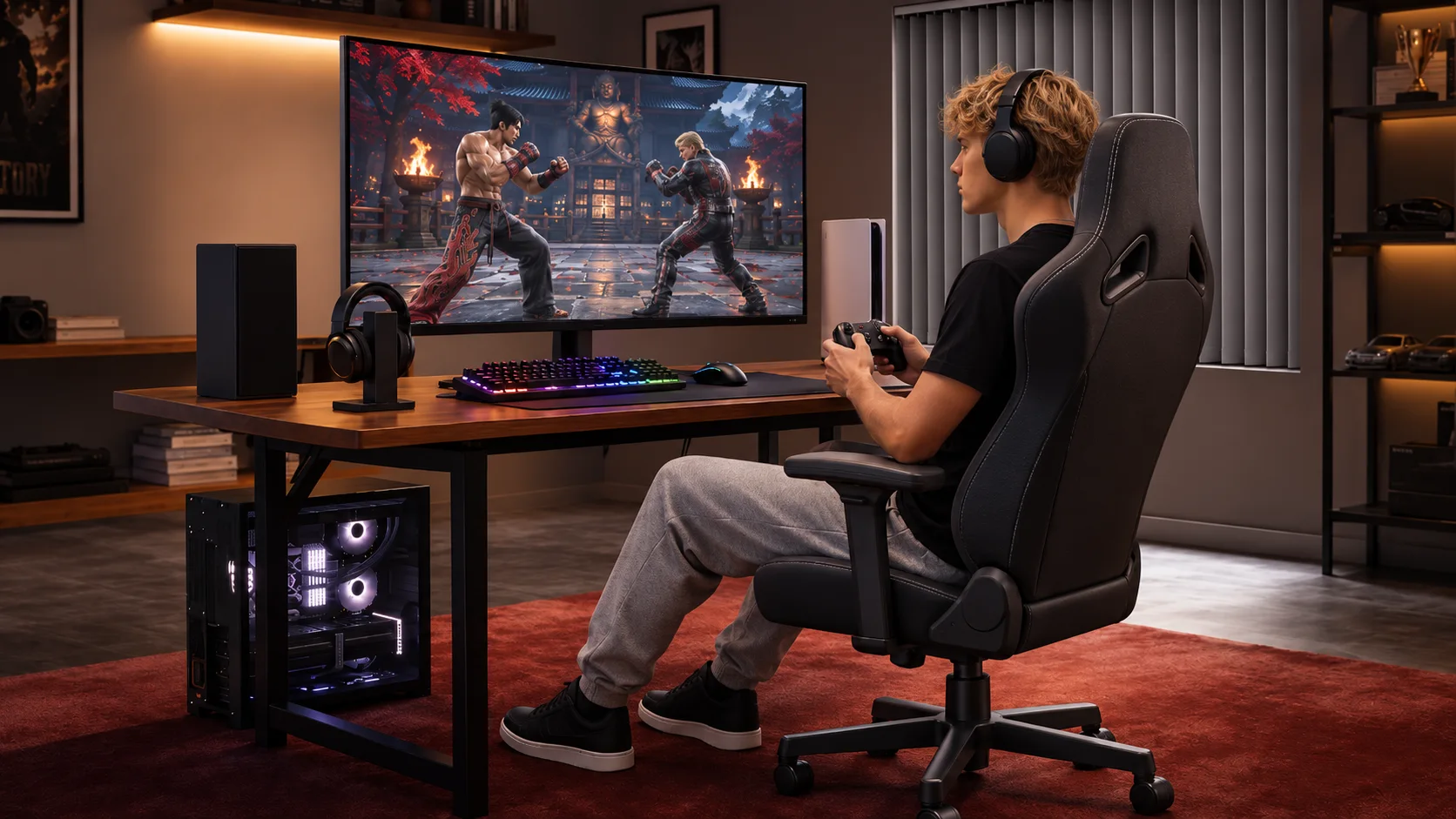
When looking for the best gaming chairs for carpet floors, I would pay just as much attention to the wheels as the seat, lumbar support or reclining mechanism. An expensive gaming chair is not necessarily better on carpet than a cheaper model with larger casters. In some cases, replacing the wheels or buying a proper chair mat makes more financial sense than replacing the entire chair.
I’ve selected six gaming chairs based on their wheel construction, weight capacity, customization options and suitability for different carpeted gaming setups. Some are better candidates for rolling directly on carpet, while others make more sense when combined with the right flooring protection.
Which Gaming Chairs Are Worth Considering for Carpet?
The differences between these chairs become more meaningful when you consider the flooring underneath them. A chair with large factory wheels might be a sensible purchase for a room with short carpet, while a heavier ergonomic model could be a better long-term investment when paired with a rigid mat.
| Gaming Chair | Wheel Diameter | User Weight Limit* | Suggested Setup | Price Category |
| Corsair TC200 | 75 mm | 268 lbs | Low to medium-pile carpet | Mid-range |
| Secretlab TITAN Evo | XL PU casters | Up to 395 lbs | Customizable wheel setup | Upper mid-range |
| Corsair TC100 Relaxed | 65 mm | 264 lbs | Low-pile carpet | Budget |
| Fractal Design Refine 2 | 65 mm | 298 lbs | Carpeted home office | Upper mid-range |
| AndaSeat Kaiser 4 XL | 65 mm | 395 lbs | Carpet with a rigid mat | Upper mid-range |
| Herman Miller x Logitech G Embody | 63.5 mm | 300 lbs | Premium carpeted setup | Premium |
*Weight figures represent manufacturer-stated maximum or recommended user weights, depending on the model. Suggested setups reflect editorial assessments based on product specifications rather than measured carpet performance.
1. Corsair TC200 – Best Pick for Large Factory Casters
The Corsair TC200 has been around for several years, but one of its specifications still makes it particularly interesting for carpeted gaming setups: its 75 mm dual-wheel casters. Many gaming chairs use wheels measuring between 50 and 65 mm, so the extra diameter gives the TC200 a potential advantage when rolling over uneven or compressible surfaces.
The wheels also feature an anti-roll mechanism intended to prevent the unoccupied chair from moving freely. This is useful if your gaming chair tends to shift around when you stand up, although the mechanism itself does not improve rolling performance on carpet.
Corsair offers both fabric and leatherette versions, with adjustable armrests and a racing-inspired seat. The chair supports users weighing up to 268 lbs (121 kg). I would personally shortlist the fabric version for a room where I spend several hours gaming, particularly if it gets warm during summer.
The TC200 is an older model, so availability may vary. Nevertheless, its oversized factory wheels remain a compelling reason to consider it if you have short or moderately thick carpet and would prefer not to purchase additional casters.
2. Secretlab TITAN Evo – Best for Wheel Customization
One reason to consider the Secretlab TITAN Evo is the range of accessories available for it. Rather than being limited to the original chair configuration, owners can choose between different manufacturer-supported caster options and compatible stationary feet.
The TITAN Evo comes with XL polyurethane casters as standard. Secretlab also offers optional Soft Rollerblade Casters, which use a single-wheel construction instead of the conventional dual-wheel design. Their performance on thicker carpets will depend on the flooring and the weight of the occupant.
There is, however, an important limitation that buyers should be aware of. Secretlab’s Soft Rollerblade Casters measure 64 mm in diameter and support a maximum user weight of 220 lbs (100 kg). They are compatible with the Small and Regular TITAN Evo models, but not the XL version.
Installing these casters also raises the chair by approximately 0.96 inches (24.5 mm). That could be a problem if your desk is relatively low or you already use the chair at its minimum height.
The TITAN Evo is a particularly interesting choice if you want flexibility in how your gaming chair is configured. Just remember that the weight capacity of an optional accessory may be considerably lower than that of the chair itself.
3. Corsair TC100 Relaxed – Best Budget Option
If I were furnishing a carpeted gaming room without spending several hundred dollars more than necessary, the Corsair TC100 Relaxed would be among the first chairs I would look at. Its 65 mm wheels are smaller than those on the TC200, but they are a reasonable starting point for an affordable gaming chair on firm carpet.
The TC100 supports users weighing up to 264 lbs (120 kg) and features a relatively spacious seating area. Fabric and leatherette versions are available, giving buyers some flexibility without moving into a higher price category.
What makes this model interesting is the possibility of spending the remaining budget on the flooring itself. An affordable gaming chair combined with a suitable polycarbonate mat may be easier to move than a premium chair placed directly on thick carpet.
The TC100 has fewer ergonomic adjustments than some of the more expensive options in this guide, but it makes sense for gamers who want a comfortable, relatively inexpensive setup without paying for features they may rarely use.
4. Fractal Design Refine 2 – For Gaming Rooms That Double as Home Offices
The Fractal Design Refine 2 takes a different approach to the traditional racing-style gaming chair. Its appearance is closer to a modern ergonomic office chair, making it appealing if you work from home during the day and play games in the evening.
Fractal uses 65 mm hubless casters with polyurethane rolling surfaces and steel ball bearings. The chair is recommended for users weighing between 132 and 298 lbs (60-135 kg) and is available in several upholstery configurations, including fabric, mesh and hybrid versions.
The hubless construction is an interesting design choice, although it should not be confused with a proven advantage on thick carpets. Good bearings can reduce friction within the wheel assembly, but they cannot prevent the flooring underneath from compressing.
I would consider the Refine 2 primarily for a room with short carpet or an existing chair mat. Its ergonomic adjustments and understated appearance are stronger reasons to buy it than its ability to move across deep carpet. It is a particularly relevant option for people who use the same chair for both professional work and gaming.
5. AndaSeat Kaiser 4 XL – For Bigger and Taller Gamers
A gaming chair needs to support the person sitting in it before anything else. The AndaSeat Kaiser 4 XL is worth considering for larger gamers because of its generous seating dimensions and recommended user weight of up to 395 lbs (180 kg).
The Kaiser 4 series uses 65 mm polyurethane-coated casters. While this is a reasonable wheel diameter, the combined weight of a large gaming chair and its occupant can cause the wheels to sink further into softer flooring.
I would approach the Kaiser 4 XL differently from the Corsair TC200. Rather than buying it specifically for its wheels, I would choose it for its seating dimensions and weight capacity, then pair it with a chair mat rated for the combined load.
Buying a smaller chair simply because it has larger wheels is a poor compromise if you cannot sit comfortably or remain within the manufacturer’s weight recommendations. For heavier users, the suitability of the entire seating setup matters more than the diameter of the casters alone.
6. Herman Miller x Logitech G Embody – Premium Option With Carpet-Compatible Wheels
The Herman Miller x Logitech G Embody is considerably more expensive than a conventional gaming chair, but it also has one of the clearest manufacturer specifications regarding flooring compatibility.
The gaming edition comes with 2.5-inch (63.5 mm) casters designed for both carpet and hard flooring. The chair supports users weighing up to 300 lbs (136 kg) and offers adjustments for seat depth, back support and other aspects of sitting posture.
Unlike many gaming chair listings that simply mention wheel size, Herman Miller explicitly identifies carpet as a compatible flooring surface. This provides a stronger basis for including it in a carpet-focused buying guide, although it does not guarantee effortless movement across deep shag carpets.
Would I spend this much money purely to get a chair that rolls on carpet? Probably not. The main justification for the Embody is its overall seating design and adjustability. Carpet-compatible wheels are a welcome addition rather than the primary reason to pay its premium price.
Why the Same Gaming Chair Behaves Differently on Different Carpets
Before ordering a chair, take a closer look at the flooring underneath your desk. A tightly woven commercial carpet behaves very differently from the soft carpet commonly found in bedrooms.
Carpet thickness, fiber density and the padding underneath all influence how freely chair wheels can move. Two people using identical gaming chairs could have completely different experiences simply because of their flooring.
Low-Pile Carpet
Low-pile carpets have relatively short fibers and generally provide a firmer surface for chair wheels. They are often found in offices, commercial buildings and rooms where durability is more important than softness.
Most conventional gaming chairs with 60-75 mm casters are reasonable candidates for this type of flooring. If your carpet is particularly firm and densely woven, you may not need specialized wheels at all.
Medium-Pile Carpet
Medium-pile carpets are common in residential rooms. The additional softness makes them comfortable underfoot, but it also means chair wheels can sink further into the surface.
Wheel width, diameter and occupant weight become more important here. Larger dual-wheel casters may help, although a dense medium-pile carpet can sometimes provide a firmer rolling surface than a shorter carpet with particularly soft padding.
High-Pile and Shag Carpet
Long fibers and soft padding create a much more challenging surface for a rolling gaming chair. Wheels can sink into the carpet, fibers may become trapped around the axles, and the chair may resist changes in direction.
For thick, heavily cushioned carpets, I would prioritize a properly rated rigid chair mat over an expensive caster upgrade. Even large wheels cannot fully compensate for a surface that compresses significantly under load.
| Carpet Type | Expected Rolling Resistance | Suggested Approach |
| Low-pile, firm carpet | Lower | Standard or larger casters |
| Medium-pile carpet | Moderate | Larger casters or a suitable mat |
| High-pile carpet | Higher | Rigid chair mat |
| Shag carpet | Potentially very high | Rigid mat or stationary seating |
| Loose area rug | Variable | Secure the rug and avoid exposed edges |
These are general expectations rather than measured performance figures. Carpet construction and underlay can significantly affect the results.
Which Gaming Chair Wheels Work Best on Carpet?
When comparing gaming chair wheels, three characteristics deserve particular attention: diameter, rolling surface material and contact width. A wheel that performs well on hardwood flooring is not automatically the best option for carpet.
Standard Dual-Wheel Casters
These are the familiar wheels found on most gaming and office chairs. They consist of two wheels mounted within a swiveling assembly.
Hard nylon wheels are commonly used on carpet because their rolling surfaces deform less than softer materials. However, a small wheel can still sink into thick carpet, regardless of what it is made from.
Standard dual-wheel casters can be perfectly adequate for firm, low-pile carpeting. There is little reason to replace them if your chair already moves comfortably.
Large Dual-Wheel Casters
Larger wheels generally have an easier time rolling over small irregularities and transitioning between surfaces. Some wider dual-wheel designs may also help distribute the load across a larger contact area.
Consider the difference between a conventional 50 mm caster and a 75 mm caster. The larger wheel has a 50% greater diameter, although this does not mean it will require 50% less effort to move.
For a gaming chair that will be placed directly on carpet, larger factory wheels are one of the specifications I would look for. Common sizes include 50 mm (1.97 inches), 60 mm (2.36 inches), 65 mm (2.56 inches) and 75 mm (2.95 inches).
Rollerblade-Style Casters
Rollerblade-style wheels typically use a single wheel with a polyurethane exterior and internal bearings. They have become a popular aftermarket upgrade for gaming and office chairs, particularly among people with hard flooring.
They can also work on carpet, but they are not automatically superior to conventional dual-wheel casters. A narrow wheel may concentrate the load over a smaller area, allowing it to sink further into softer flooring.
I would avoid choosing replacement wheels based solely on their appearance or claims of smoother movement. Their physical dimensions, weight rating and compatibility with your chair are more useful buying criteria.
Can Gaming Chairs Damage Carpet Floors?
Take a look at the carpet underneath a desk that’s been used for a few years. You’ll often notice that the area around the chair looks flatter than the rest of the carpet. That’s hardly surprising when you consider how many times you roll back and forth throughout the day.
At first, it’s mostly a cosmetic issue. But as dirt builds up and the wheels keep rubbing against the same spots, the carpet can start showing more obvious signs of wear. If you have a thick carpet with longer fibers, you may also find some of them tangled around the wheels.
The combined weight of the chair and its occupant plays an important role. Consider a simple example involving a typical five-caster gaming chair:
- Gaming chair weight: 60 lbs
- User weight: 250 lbs
- Combined weight: 310 lbs
- Theoretical static load per caster assembly: 62 lbs
In practice, leaning backward, shifting position and rolling across uneven flooring can redistribute that load. This is why replacement caster ratings and chair mat weight limits should be checked against the combined load, unless the manufacturer explicitly specifies a maximum user weight.
If you rent your home or have recently installed an expensive carpet, protecting the flooring from the beginning is generally easier than dealing with permanent wear later.
When Is a Gaming Chair Mat Worth Buying?
A chair mat serves two purposes: it provides a more stable rolling surface and reduces direct wear on the carpet underneath. Even if your chair rolls comfortably, the second benefit may justify the purchase.
Check whether your carpet manufacturer’s warranty requires protective chair mats. Certain carpets may need additional protection regardless of how easily a chair moves across them.
The material of the mat matters, especially when the flooring underneath is soft.
| Chair Mat Material | Advantages | Limitations |
| PVC | Affordable and relatively lightweight | Flexible versions may develop wheel depressions |
| Polycarbonate | More rigid and resistant to deformation | Must be selected for the correct carpet thickness |
| Tempered glass | Firm and smooth rolling surface | Heavy, more expensive and requires suitable support |
For medium or thick carpets, I would generally start by looking at polycarbonate mats specifically rated for the flooring thickness. Tempered glass can also be an option if the product is explicitly designed for carpet and supports the combined weight of the chair and its occupant.
A mat designed for hardwood flooring is not necessarily suitable for carpet. Likewise, a decorative gaming rug is not the same thing as a protective chair mat.
Measure the Carpet and Its Padding
One detail that often gets overlooked is the padding underneath the carpet. When choosing a chair mat, manufacturers may specify the maximum supported thickness of the carpet and its underlay combined.
For example, a carpet with 8 mm of pile and 7 mm of padding has a combined pile and padding thickness of approximately 15 mm, or 0.59 inches, before accounting for the carpet backing. A mat rated for flooring up to 0.5 inches thick would therefore be unsuitable if that rating includes the padding.
Floortex’s chair mat guidance provides further information about carpet compatibility and choosing suitable mat materials.
You should also measure the area your chair covers when you move backward from the desk. A mat that only accommodates the chair in its normal seated position can become frustrating if the wheels regularly roll off its edges.
How to Make Your Existing Gaming Chair Roll Better on Carpet
You may not need a new gaming chair at all. If your current chair is comfortable and provides adequate support, there are several changes worth considering before replacing it.
Clean the existing wheels. Hair, dust and carpet fibers can accumulate around the wheel axles and restrict movement. Check whether each wheel rotates and swivels freely.
Consider larger replacement casters. Moving from a 50 mm wheel to a 65 or 75 mm design may improve movement. Check the mounting stem diameter, stem length, base clearance and load rating before purchasing.
Measure the caster mounting stem. A common grip-ring stem size is 11 × 22 mm, but other dimensions and attachment mechanisms exist. Wheels advertised as universal are not necessarily compatible with every gaming chair.
Check the new chair height. Increasing wheel diameter from 50 to 75 mm would raise the axle by 12.5 mm if the rest of the wheel geometry remained unchanged. The actual change in seat height depends on the complete caster assembly, so check whether you will still fit comfortably underneath your desk.
Check the weight rating. Pay attention to whether the replacement wheel manufacturer specifies the capacity of an individual caster, the complete set or the maximum user weight.
If the wheels are sinking deeply into the flooring rather than struggling because of their size or condition, solving the problem with a suitable chair mat may be more effective.
A Simple Test Before You Spend Any Money
If you are unsure whether your gaming chair or your carpet is causing the problem, there is a straightforward way to narrow it down:
- Inspect the wheels for trapped hair and carpet fibers.
- Check how freely the empty chair rolls across the carpet.
- Sit in the chair and gently move it forward, backward and sideways.
- Check whether the wheels leave noticeable temporary depressions.
- Repeat the same movements on a suitable hard floor, if available.
A chair that moves freely on a hard surface but becomes difficult to move when occupied on carpet is likely being affected by flooring resistance and compression.
If it struggles on both surfaces, damaged, dirty or poorly rotating casters may also be contributing to the problem. Bear in mind that certain chairs, including the Corsair TC200, have load-sensitive anti-roll mechanisms, so an empty-chair test alone may not be representative.
This simple comparison can help you decide whether spending money on replacement wheels, a chair mat or an entirely new chair is worthwhile.
Are Gaming Chairs Without Wheels Better for Thick Carpets?
If you tend to stay in one spot while gaming, do you really need a chair with wheels? A gaming chair with fixed feet gets around one of the more annoying problems with carpet – wheels that barely move or pick up fibers over time.
There is a downside, though. Fixed feet can leave dents in the carpet, especially if they are narrow. Pulling yourself closer to the desk or moving the chair out of the way also takes a bit more effort.
You don’t necessarily have to buy a new chair, either. Some manufacturers offer fixed feet that can replace the original wheels. Just make sure they fit your chair, can support your weight and won’t leave you sitting too high or too low.
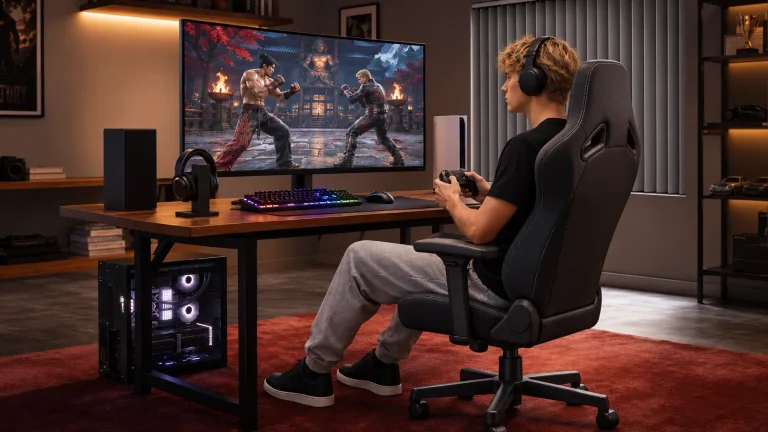
Personally, I’d consider a stationary chair for gaming with a controller, particularly in front of a TV. For everyday PC gaming and working at the same desk, I’d rather keep the wheels and invest in proper carpet protection.
How These Gaming Chairs Were Selected
For this guide, I focused on manufacturer-published specifications relevant to carpeted gaming rooms. These include caster diameter, wheel construction, supported flooring surfaces, user weight recommendations and replacement wheel compatibility. Seating dimensions and ergonomic features were also considered where they could influence the suitability of a chair for different users.
This is a research-based buying guide, not a controlled hands-on comparison of rolling resistance across different carpet types. The recommendations reflect published specifications and editorial assessments. Product configurations, availability and accessory compatibility may change, so buyers should confirm the details of their chosen model before ordering.
Where I Would Spend My Money
If I already owned a comfortable gaming chair that struggled to move on carpet, I would investigate the wheels and flooring before shopping for a replacement. A relatively inexpensive upgrade could solve the problem without introducing an entirely new chair into my setup.
For someone buying a new chair, the Corsair TC200 stands out for its 75 mm factory wheels, while the Secretlab TITAN Evo offers more flexibility through its accessory range. Larger gamers should prioritize an appropriately sized chair such as the AndaSeat Kaiser 4 XL rather than compromise on seating dimensions for the sake of bigger wheels.
Ultimately, the best gaming chair for your carpet is one that fits your body, your desk and your budget. Treat the chair and the flooring as two parts of the same setup. You may find that solving the flooring problem separately gives you considerably more freedom when choosing where to sit.

The GamingImba Editorial Team covers gaming news, in-depth guides, gaming hardware, industry trends, esports and more. Our goal is to provide accurate, practical, and reliable content that helps gamers stay informed and get more out of their gaming experience.