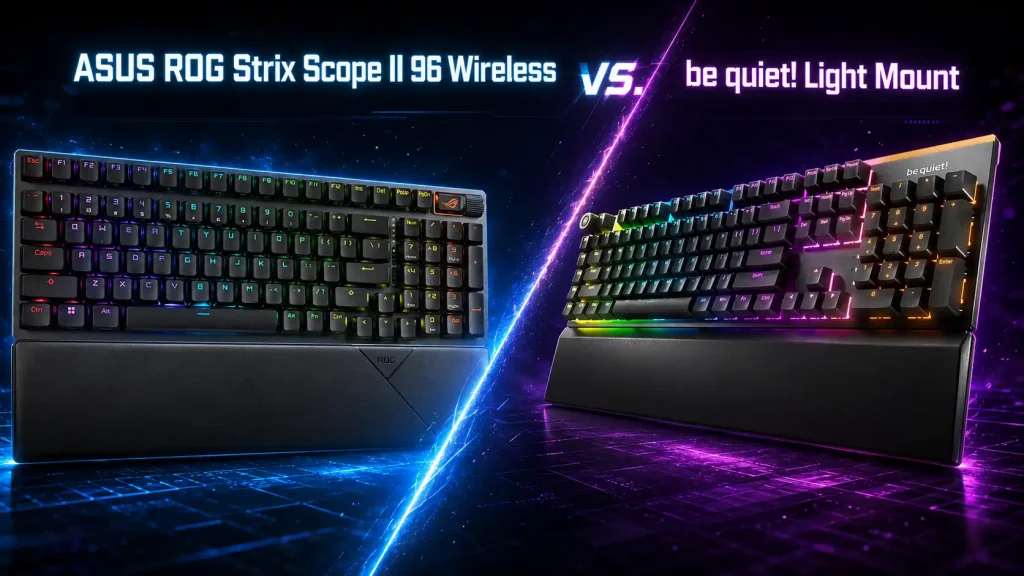
A quiet keyboard sounds like a simple request until gaming performance enters the conversation. Soft keystrokes are welcome during late-night sessions, but not if they come with sluggish inputs, missed commands or switches that become uncomfortable after an hour. The ASUS ROG Strix Scope II 96 Wireless and the be quiet! Light Mount approach this challenge from different directions. ASUS starts with a versatile gaming keyboard and controls its noise; be quiet! makes silence the priority and builds a capable gaming keyboard around it.
Which one is better suited to games that demand hundreds of rapid keypresses rather than the occasional relaxed input?
Both keyboards have the technical foundation required for demanding games, including 1,000Hz polling and full N-key rollover. However, they suit different players. The ASUS offers greater flexibility and remarkably low measured latency, while the Light Mount makes the stronger commitment to noise reduction.
The Main Difference Is About More Than Volume
The ROG Strix Scope II 96 Wireless uses a condensed 96% layout. It retains the number pad and function row but removes much of the empty space normally found between key groups. ASUS says the keyboard is only around one centimeter wider than a standard tenkeyless model.
That compact arrangement leaves more room for mouse movement without forcing players to give up the number pad. The tradeoff is tighter spacing around navigation keys such as Delete, Home and End. Experienced full-size users may need time to adjust.
The Light Mount follows a conventional full-size layout. It occupies more desk space, but navigation keys remain in familiar positions. It also includes five dedicated M1–M5 keys that can be programmed as macros or used for media controls.
Noise separates the keyboards more clearly. The ASUS uses factory-lubricated switches, switch-dampening pads and internal foam to reduce pinging and case echo. The Light Mount goes further with dedicated Silent switches and three internal sound-absorbing layers. Reviewers consistently describe it as exceptionally quiet, although the precise difference between the models will depend on the selected switches, typing force and desk surface.
ASUS ROG Strix Scope II 96 Wireless: The More Flexible Option
The version to consider for quiet gaming is the one fitted with ROG NX Snow switches. ASUS also sells the keyboard with NX Storm switches, but those are intentionally clicky and unsuitable for someone trying to reduce noise.
NX Snow switches are linear and factory lubricated. They actuate at 1.8 mm, with an initial force of 40gf, according to the official ASUS specifications. There is no tactile bump or audible click before a command registers, producing smooth movement through the entire keypress.
Testing by RTINGS found remarkably low single-key latency and excellent multi-key latency. The keyboard supports 1,000Hz polling, full N-key rollover and the transmission of multiple inputs within a USB report.
The ASUS also provides three connection methods. Its 2.4GHz receiver is the appropriate wireless option for gaming, while Bluetooth allows pairing with as many as three devices. A wired USB connection is available for charging and playing simultaneously.
Which games benefit most from the ASUS design?
The compact layout and responsive linear switches make it particularly suitable for shooters such as Counter-Strike 2, Valorant, Apex Legends and Call of Duty. Players who use lower mouse sensitivity gain more room for wide movements, while the NX Snow switches allow quick changes between directional inputs.
The same qualities work well in League of Legends, Dota 2 and other games involving repeated abilities and rapid combinations. The keyboard can register simultaneous and frequently repeated commands, although it does not offer Rapid Trigger or adjustable actuation. Players seeking those specific competitive features would need to consider a Hall effect keyboard instead.
The ROG model is also practical for simulation, strategy and MMO games because it retains its number pad. It does not have separate macro keys, but macros can be recorded using shortcuts or configured through Armoury Crate.
Is the ASUS suitable for sustained, repeated inputs?
Its low latency, N-key rollover and consistent linear switches make it technically well suited to games involving constant movement and frequent commands. That does not guarantee the lifespan of every individual switch, as independent latency tests are not long-term durability tests.
The hot-swappable PCB does provide a practical advantage. If a switch eventually becomes unreliable, it can be removed and replaced without soldering or replacing the entire keyboard.
Keycap material requires additional attention. Depending on the region, the Scope II 96 Wireless may come with either PBT double-shot or UV-coated ABS keycaps. PBT generally resists shine and fading better, so buyers should check the exact regional product before ordering.
ASUS ROG Strix Scope II 96 Wireless pros
- Remarkably low measured latency
- Quiet and smooth NX Snow linear switches
- 1,000Hz polling and full N-key rollover
- Wired, 2.4GHz and Bluetooth connectivity
- Compact layout that retains the number pad
- Hot-swappable mechanical switches
- Long advertised battery life with lighting disabled
- Comfortable detachable wrist rest
ASUS ROG Strix Scope II 96 Wireless cons
- Not as heavily focused on silence as the Light Mount
- The spacebar may sound louder and feel less stable than other keys
- Condensed key placement requires adjustment
- Armoury Crate is a large software package
- No dedicated macro keys
- No Rapid Trigger or adjustable actuation
- Keycap material varies by region
be quiet! Light Mount: Silence Comes First
The Light Mount is offered with Silent Linear or Silent Tactile switches. The Linear version is the more obvious gaming choice for players who want smooth, uninterrupted travel. Silent Tactile switches add a physical bump, which may benefit typing accuracy but creates a different feel during frequent repeated inputs.
Both versions combine factory-lubricated switches with three internal sound-dampening layers. This construction reduces the switch impact as well as the hollow resonance often heard inside mechanical keyboard cases.
The Light Mount is wired only and supports 1,000Hz polling with full N-key rollover. That is sufficient for the overwhelming majority of gaming situations. Independent testing reported by Club386 found the keyboard responsive in Rainbow Six Siege, Destiny 2 and Apex Legends, without detected input delay during the reviewer’s sessions.
It lacks the adjustable actuation and Rapid Trigger features found on newer competitive keyboards, but that does not prevent it from performing well in mainstream shooters. It simply offers fewer tools for players trying to optimize every stage of a key’s activation and reset.
Which games suit the Light Mount best?
Its full-size layout and five programmable macro keys make it particularly useful for MMOs such as World of Warcraft and Final Fantasy XIV. Abilities, items or menu commands can be assigned to the additional keys without altering the familiar WASD area.
The Light Mount also makes sense for strategy games, RPGs and simulators, especially when the number pad and navigation cluster serve secondary commands. It can handle shooters, but the wider body leaves less room for large mouse movements than the ASUS.
Its biggest advantage appears outside the game itself. A player using voice chat, streaming from a sensitive microphone or sharing a room may value the subdued key noise more than an extremely compact design. It is not completely silent, but it avoids much of the sharp clacking associated with standard mechanical keyboards.
Can the Light Mount register demanding input sequences?
Its 1,000Hz polling rate and full N-key rollover allow it to process rapid and simultaneous commands. Reviewers have also tested it successfully in fast-paced games. This confirms its gaming capability, but it should not be interpreted as a formal long-term stress test.
The keyboard supports hot-swappable five-pin MX-style switches, so an individual switch can be replaced without soldering. Its PBT double-shot keycaps should also resist surface wear and fading better than basic ABS alternatives.
There is one caveat. A small number of publicly available owner reports mention missed or repeated inputs and difficulties with IO Center. These reports are anecdotal and do not establish how common the problems are. Buyers may nevertheless prefer a retailer with a clear return and warranty policy.
be quiet! Light Mount pros
- Stronger emphasis on low-noise operation
- Three internal sound-dampening layers
- Silent Linear and Silent Tactile versions
- 1,000Hz polling and full N-key rollover
- Five dedicated programmable macro keys
- Hot-swappable five-pin MX switch support
- PBT double-shot keycaps
- Familiar full-size layout
- Included wrist rest and programmable media wheel
be quiet! Light Mount cons
- Wired connection only
- Takes up considerably more desk space
- No Rapid Trigger or adjustable actuation
- Less convenient for low-sensitivity mouse movement
- Mixed owner feedback concerning IO Center
- Isolated reports of missed or repeated inputs

Which Quiet Gaming Keyboard Should You Choose?
For most players, the ASUS ROG Strix Scope II 96 Wireless is the stronger all-round choice. It provides low measured latency, flexible connectivity and a compact layout without removing the number pad. With NX Snow switches, it keeps noise under reasonable control while retaining a responsive mechanical feel.
The be quiet! Light Mount is the more specialized option. It is better suited to shared rooms, late-night gaming and setups with microphones that easily capture keyboard noise. Its conventional layout and macro keys also give it an advantage in MMOs and productivity.
Neither keyboard is completely silent, and neither offers the advanced actuation controls of a Hall effect model. The ASUS wins on flexibility, compactness and measured responsiveness. The Light Mount places silence, familiar spacing and additional macro controls first. The final decision depends on whether low noise is one requirement among several—or the main reason for replacing the keyboard.

I’m Alex Mercer, a senior gaming and esports writer at GamingImba. I’ve been involved in gaming for as long as I can remember, and for more than a decade I’ve been writing about competitive play, industry trends, and the culture that grows around games.
My work focuses on esports, online gaming platforms, and how technology continues to shape the way people play, compete, and connect. I’m especially interested in meta shifts, balance changes, and the business decisions that influence modern games behind the scenes.
At GamingImba, I aim to break down complex topics in a way that’s clear, honest, and useful—whether that means analyzing a major tournament, exploring new gaming platforms, or looking at how player behavior evolves over time.
I follow global esports scenes closely, experiment with different games and mods in my free time, and enjoy digging into the details that most players notice but rarely stop to question.