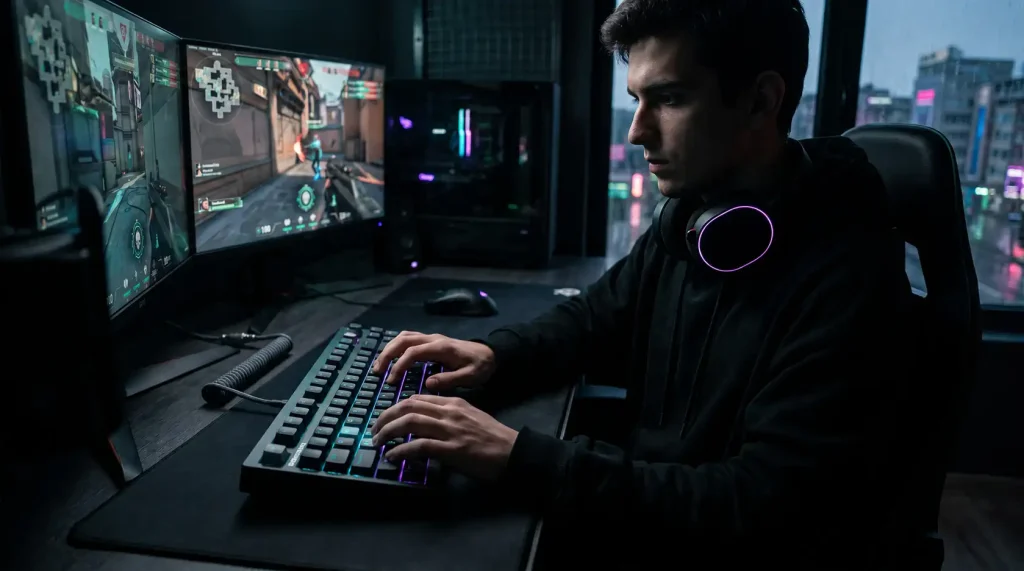
Anyone who has ever had an open mic on Discord during a late-night session knows the pain of clicky switches. You want the fast response of a mechanical board, but your roommates, family, or teammates don’t need to hear every single tap of your WASD cluster.
Finding a keyboard that is genuinely quiet without feeling like you are typing on wet sponges takes a bit of technical know-how. Here is an honest breakdown of what makes a gaming keyboard quiet, what marketing gimmicks to ignore, and what hardware specs actually matter.
1. Switches: Silent Mechanical vs. Standard Linears
The switch under each keycap causes 90% of the noise. But there is a huge difference between a smooth switch and a silent switch.
Standard Linear Switches (Red/Yellow/Speed):
Linears have no tactile bump and no click jacket, making them naturally quieter than Clicky (Blue) or Tactile (Brown) switches. However, when you slam a key down in the middle of a gunfight, plastic hits plastic. Standard linears still produce a loud “clack” when they bottom out and top out.
Dedicated Silent Switches (Cherry MX Silent Red, Gateron Silent Yellow, Outemu Silent Peach, TTC Silent Bluish White):
These are specifically engineered with small silicone or rubber dampening pads integrated directly into the switch stem. They cushion both the downward bottom-out and the upward rebound. Decibel levels drop significantly (often down to 35–40 dB compared to 55–65 dB on standard boards).
The “Mushy” Trade-off:
Because of those silicone dampening pads, silent switches feel slightly softer at the bottom of the keystroke. If you come from stiff clicky switches, it takes a few days to get used to the cushioned landing.
2. The Case Architecture: Why Cheap Boards Echo
If you drop silent switches into a cheap, hollow plastic tray-mount keyboard, it will still sound hollow and clattery. Sound reflects inside the empty cavity under the circuit board.
What to Look For Inside the Case:
- Gasket Mount Systems: Instead of screwing the metal plate directly into hard plastic, gasket-mounted boards suspend the plate between silicone or poron foam strips. This absorbs finger impact shock, softens vibrations, and eliminates harsh high-pitched pinging.
- Multi-Layer Foam: Look for boards that come stock with a layer of case foam, a PCB foam sheet, and switch pads (IXPE/Poron). They absorb air vibrations inside the chassis, turning a hollow plastic echo into a muted, deep sound.
- Aluminum vs. ABS Plastic: Thick CNC aluminum cases mute acoustic resonance much better than thin plastic shells, though high-quality plastic boards with dense internal silicone can achieve near-identical acoustic isolation for half the price.
3. Don’t Overlook Stabilizers (The Spacebar Problem)
You can have the quietest switches in the world, but if your spacebar rattles like a box of nails, the keyboard will still be loud.
Large keys (Spacebar, Shift, Enter, Backspace) use wire stabilizers to balance the keycap.
- Loose, Dry Stabilizers: The metal wire rattles against the plastic housing every time you tap the key.
- Factory-Lubed / Pre-Tuned Stabilizers: Quality boards come with synthetic grease (like Krytox 205g0 or Dielectric grease) applied to the stabilizer wires. This eliminates metallic chatter completely.
4. Keycaps: Material and Profile Matter
Keycaps act as tiny acoustic chambers. The shape and thickness change the pitch of the sound:
- Thick PBT (1.4mm – 1.5mm): Denser plastic that absorbs sound waves, producing a lower-frequency, muted sound profile.
- Thin ABS (under 1.2mm): Common on mass-market budget boards. They produce a sharp, high-pitched “clack” and wear down to a shiny, slick finish quickly.
- Profile Height: Stick to Cherry or OEM profile keycaps. Taller profiles (like SA, MT3, or KAT) have large hollow cavities underneath that amplify bottom-out clatter like a megaphone.
5. Form Factor Comparison for Gamers
| Layout | Key Count | Pros & Cons |
| Full Size (100%) | 104–108 keys | Includes dedicated Numpad, but forces your mouse far to the right, restricting arm movement. |
| Tenkeyless (TKL / 80%) | ~87 keys | Drops the numpad. Keeps dedicated arrows and F-row. The most balanced layout for work and play. |
| 75% / 65% | 68–84 keys | Compact footprint, keeps arrow keys, gives maximum desk space for low-DPI mouse flicks in FPS titles. |
| 60% | 61 keys | Highly portable, but requires layer shortcuts (Fn keys) for basic arrow and F-key navigation. |
6. What Actually Matters for Gaming Performance
A silent keyboard still has to perform flawlessly under pressure. Make sure the board checks these boxes:
- Hot-Swappable PCB (5-Pin): This is non-negotiable. If you buy a board and decide you want even quieter switches later (or need to lube a noisy stabilizer wire), hot-swap lets you pull switches out in seconds with a tool—no soldering iron required.
- True 1,000Hz Polling Rate (1ms latency): While marketing departments push 4,000Hz and 8,000Hz polling rates, a stable 1,000Hz wired or 2.4GHz connection is the proven competitive standard.
- Connection Type: Use detachable USB-C or dedicated 2.4GHz wireless dongles. Avoid Bluetooth for gaming—Bluetooth latency (often 20–50ms) will get you eliminated in fast-paced competitive shooters.
- Full N-Key Rollover (NKRO): Guarantees that every keypress registers simultaneously, no matter how many keys you hit at once.
The Realistic Buyer’s Checklist
- Equipped with dedicated Silent Linear switches (e.g., Silent Reds/Peaches) or hot-swap sockets to add them.
- Gasket-mounted structure with internal silicone or Poron dampening foam.
- Factory-lubed stabilizers to prevent spacebar rattle.
- Thick PBT keycaps in Cherry or OEM profile.
- 1,000Hz polling rate over USB-C or low-latency 2.4GHz wireless.
If a keyboard has these five fundamentals, you get the responsiveness and build quality of an enthusiast-level mechanical board, while staying whisper-quiet for late-night gaming.

I’m Alex Mercer, a senior gaming and esports writer at GamingImba. I’ve been involved in gaming for as long as I can remember, and for more than a decade I’ve been writing about competitive play, industry trends, and the culture that grows around games.
My work focuses on esports, online gaming platforms, and how technology continues to shape the way people play, compete, and connect. I’m especially interested in meta shifts, balance changes, and the business decisions that influence modern games behind the scenes.
At GamingImba, I aim to break down complex topics in a way that’s clear, honest, and useful—whether that means analyzing a major tournament, exploring new gaming platforms, or looking at how player behavior evolves over time.
I follow global esports scenes closely, experiment with different games and mods in my free time, and enjoy digging into the details that most players notice but rarely stop to question.