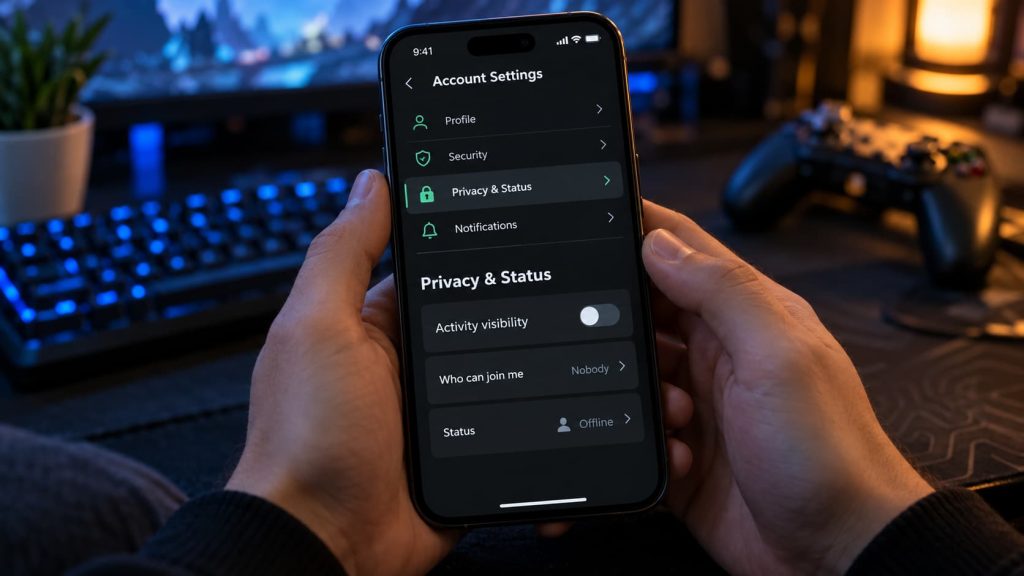
Roblox does not have a button named Appear Offline, but it does have an official Online Status setting. On Android, iPhone, or iPad, set Online Status to No one to appear offline on your profile and in other players’ Friends lists. Then restrict Show current experience so they cannot see what you are playing through your activity.
Change Your Visibility Settings
- Open Roblox > More (…) > Settings.
- Go to Privacy & content restrictions > Visibility & private servers > Visibility.
- Under Online Status, select No one.
- Under Show current experience, select No one.
- Turn off Share activity updates if you do not want friends receiving updates about your recent activity in experiences.
That is the main setup. The options available to you can depend on your age and region. If No one is missing, choose the narrowest audience offered and remember that people within that audience may still see your status or activity.
What does each setting do?
- Online Status controls who sees that you are online. People outside your selected audience see you as offline on your profile and in their Friends list.
- Show current experience controls who sees the experience you are playing and can use that visibility to join you.
- Share activity updates controls whether friends receive updates about your recent activity in experiences.
These are separate controls. If you only hide the experience, you may still appear online.
Hide Your Game and Limit Joining
Some older tutorials refer to a setting called Who can join me in experiences? or direct you to Settings > Privacy. In Roblox’s current help instructions, the relevant mobile path is Settings > Privacy & content restrictions > Visibility & private servers > Visibility > Show current experience.
Set Show current experience to No one if the option is available. This limits joining through your displayed activity. It does not turn a public server into a private one: somebody already there can see your avatar and username, and another player might enter the same server independently.
If you want control over who enters, check whether the experience offers a private server. The creator must enable that feature. Depending on the experience, a private server may cost Robux and have a recurring monthly charge, so check the terms before creating one.
Do You Need to Change Chat, Trading, or Inventory Settings?
No. Those settings serve other privacy goals, but they do not make you appear offline.
You can review communication controls under Privacy & content restrictions if you also want fewer messages or chat interactions. Inventory visibility is under Settings > Privacy & content restrictions > Trading & inventory > Inventory visibility. Hiding your inventory does not disable trading or conceal your online status.
When You Want More Separation
A secondary account can be useful if you want to play away from your usual friends list. Keep in mind that it has its own progress and items. Players in the same experience can still see that account’s username and avatar, so it is not an invisibility mode.
If you also use Roblox on Xbox or PlayStation, check your console account’s presence settings separately. Your Roblox visibility choices should not be treated as a guarantee about what a separate console friends system displays.
Changing your account location will not make you appear offline. Use the visibility controls instead. Likewise, avoid apps, extensions, or websites promising a hidden offline switch, particularly if they ask you to sign in with your Roblox account.
Privacy Checklist
- Online Status is set to No one, if available.
- Show current experience is set to No one, if available.
- Share activity updates is off.
- You have checked who can enter the server you plan to use.
- A trusted friend has checked your profile and Friends list while you play a test session.
If your friend can still see you, check the audience selected for each visibility setting. Hiding your online status and hiding your current experience require separate choices.

I’m Alex Mercer, a senior gaming and esports writer at GamingImba. I’ve been involved in gaming for as long as I can remember, and for more than a decade I’ve been writing about competitive play, industry trends, and the culture that grows around games.
My work focuses on esports, online gaming platforms, and how technology continues to shape the way people play, compete, and connect. I’m especially interested in meta shifts, balance changes, and the business decisions that influence modern games behind the scenes.
At GamingImba, I aim to break down complex topics in a way that’s clear, honest, and useful—whether that means analyzing a major tournament, exploring new gaming platforms, or looking at how player behavior evolves over time.
I follow global esports scenes closely, experiment with different games and mods in my free time, and enjoy digging into the details that most players notice but rarely stop to question.